Weekend Projects - Lightweight Photo Service May 5, 2008
Posted by Ryan in : Tech, Web Sites, mashups, interface, open source, Web Services, Programming , add a commentThis is a project I’ve been thinking about for a while, and I’d love to do a hack weekend to get this working sometime.
One thing that’s been a problem with us at Petentials (and many other sites running Drupal) is Photo uploading, sharing, embedding, etc. Aaron Winborn created a great tool called Embedded Media Field that abstracts the hosting of photos, videos and audio files for a Drupal installation - what I’m thinking of doing is writing a custom interface for that module that allows a user to upload the files without leaving the page, and then talks to Drupal to tell it to make a new node for the photo, add it to a gallery, or the same for a batch of images - Aaron’s module does quite a bit of this already.
I was wondering if Menalto Gallery (G2) could help us out here, but that’s really meant to be used as its own system - I really just want to create a REST/CRUD interface we can throw on a subdomain to serve up images and thumbnails, while also generating new thumbnails as needed. G2 has lots of these features, but then we’d have to keep the user tables in synch and I’m not sure we need everything they have to offer.
This is not meant to be a flickr or a photobucket, but the replacement for hosting images in-house. It should be insanely transparent to the users - they should not need to register, have any plugins or enter any extra screens.
My thoughts are the following:
- Use lighttpd or a stripped-down version of Apache with PHP. No database (unless to store API keys and permissions for when you want to update/delete a file).
- All files get served statically - if we hit a 404, redirect to a PHP script which generates the image. Then all future requests are static.
- Once the image is generated, we could host it on S3, Akamai or another CDN? I remember seeing something like this with Gigavox’s podcast hosting solution - I’m going to go check out their screencasts/documentation again to see if they explain it or I can figure it out.
- Make it open source and let other folks use it and hack on it.
- Ability to link to images over the web, or upload .zip .gz files via FTP, or email in images, eventually allow for mobile uploads, etc.
- We’d also want to have support for checking referrers so we can deny certain folks and perhaps serve watermarked images to non-approved sites? I think some of this can be done at the Apache/lighttpd level, and I’d prefer configuration over code in as many places as possible.
The application by itself won’t do anything - you’d need a CMS to integrate it with. My choice is Drupal, of course.
Certainly on the wish list for embedded media field is the ability to integrate this content transparently in the background (see Vox’s media features). Using something like PingVision’s Drupal Markup Engine and a WYSIWIG editor might get us most of the way there. It’s an API that lets you specify custom tags - mostly these can be used to add images, video or blocks inside a node, but there are dozens of uses that have not been invented yet, I’m sure. If the editor can have plugins written (Kupu is the editor of choice for Acquia’s Carbon). I don’t think it should insert raw HTML, but a custom tag so we can abstract the method of storage - just something like [image:13456] or [video:13456] or [audio:13456] or [gallery:13456] at least until HTML5 gives us a standard for implementing this.
One reason why the Embedded Media Field is so great is because if YouTube changes the player, or if they introduce the option to turn off the related videos at the end, or even if you come up with your own .FLV wrapper, like a deep-tagging service, all your calls to videos are made through this tag - it’s an API for HTML code.
If we get an editor that supports this sort of stuff and a module/plugin for major CMSes and platforms, those can all live in one place. Wordpress has support for TinyMCE or the plain-text editor, but it must support others, yes? Another editor that would be high on my list is the YUI Rich Text Editor.
I could probably go on all day, but I think I’ve gotten a decent explanation for this cluster of projects out there.
Video Uploads to Flickr April 9, 2008
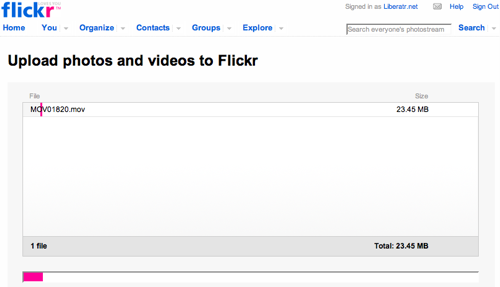
Posted by Ryan in : Tech, Podcasts, Orlando, Events, Video, Film, Reviews, Trends, MySpace, photos, Facebook, BarCamp, Storytelling, Viddler, Web Services, Flickr , add a commentMy First Video on Flickr fit the new requirements perfectly: less than 90 seconds, and less than 150MB. That’s fantastic, and the streaming in good, embed codes, tagging, fits right into my flickr photo/video stream, awesome.
The videos on Flickr are going to make YouTube obsolete, or rather, the MySpace to Flickr’s metaphorical Facebook. The content in each place is different. I don’t go to MySpace or YouTube expecting quality, art, or intellectual content of the least kind. However, I know some real life people on Facebook, and some really serious photographers on Flickr.
By creating a constraint like this, the “90-second short film” will gain a place on the internet. I wouldn’t doubt if the next set of consumer-level cameras have an option to limit video clips to 90 seconds to allow for easy Flickr uploading.
…and it is SO easy. The same exact experience as working with a photo - I haven’t tried geotagging, but I bet it works. Now if they can get Viddler-style deep tagging working just like Notes on photos, I’ll be a very happy man.
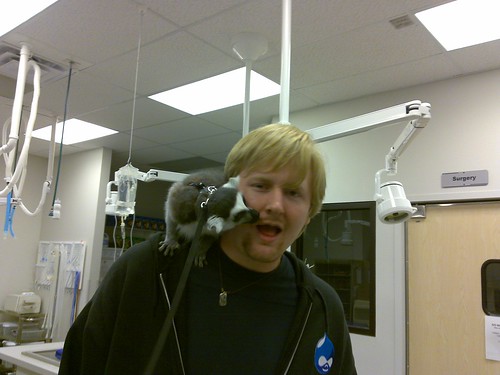
David is a total goofball, now you can see it at 30FPS. Thanks Flickr!
BarCampOrlando Downtown April 5th and 6th, 10AM - 6PM April 1, 2008
Posted by Ryan in : Tech, Podcasts, Orlando, SEO, Music, Links, Events, Video, Coworking, Trends, Standards, floridacreatives, mashups, Graphics, OrlandoScene, Teaching, open source, BarCamp, PodCamp, Storytelling, phone, Web Services, Social Media Events, Social Networking, Programming , add a commentBarCamp Orlando is a weekend for all types of creative folks to come together and share with each other. The event is dubbed an “unconference”, a format which derives power from the people instead of the event organizers or the presenters. Everyone has an equal opportunity to get on stage and speak, teach or lead a discussion, playing off of the idea that at any given conference, the people in the audience have more knowledge collectively than the presenter(s) on stage.
This second installment of BarCamp will be held over 2 days, Saturday and Sunday, April 5th and 6th, in downtown Orlando at the Wall Street complex, from 10AM - 6PM each day. Registration is free, and a registration promises a shirt and lunch on the sponsors of BarCamp, businesses who are passionate about the technology and media communities of Central Florida.
Saturday is the designated “Dev Day”, playing host to everything from web programming to robot building and video game development and everything in between. iPhone hackers, guys with soldering irons, the latest technologies, and plenty that haven’t been realized yet. Every 30 minutes, both venues will have a different talk going on, so if you’re feeling lost in the jargon, apply the “rule of 2 feet” and check out what’s happening in the other room!
Sunday is dubbed “Media Day”, and is the place for storytellers, journalists, writers, designers, filmmakers, musicians, 2D and 3D artists, podcasters, bloggers and social networkers to show off their work, share their tricks or talk about the state of the industry. From 12 to 1 we will be talking about the “Past, Present and Future of Media in Central Florida”, hoping to give our community a sense of our story, and where we’re headed.
Registration is free, and the event runs from 10AM - 6PM both days with a lunch break at 1PM. The event will be housed in Slingapour’s and One-Eyed-Jack’s, with Wall St Cantina acting as our “hallway”. There will be projectors and microphones, chairs and a space to speak. All you have to do is write your name on the whiteboard and you get 20-25 minutes to share your passions with a group of energetic, engaged geeks and creatives. I would not use the words “captive audience” to describe the BarCamp crowd, because they all want to get involved.
Visit www.barcamporlando.org today and register for Dev Day, Media Day or both days. Wall Street Plaza is at 18 Wall Street Plaza, Orlando, FL 32801 - barcamporlando.org/where has a map to the venue and information about parking.
How to add subtitles to video podcasts March 2, 2008
Posted by Ryan in : Tech, Podcasts, HowTo, Video, mashups, interface, flash, Web Services , 2 commentsAt BarCampMiami, one of the folks in my podcast session had a question about creating a multi-lingual podcast. I instantly suggested that photocasting with something like SlideFlickr and including an audio file would be simplest and very shareable. Visuals certainly have the power to transcend the barriers of language (if not culture). Still, she was hoping for a more flexible answer, like subtitling videos.
I had certainly seen Rocketboom and other vlogs include subtitles and have mutli-language support, but I was skeptical about finding a cross-platform tool that could get the job done.
I did some searching and found out Google Video supports subtitles if you’ve already made the file - OK, but how do I make one? Linux has lots of tools available, but I don’t think that will help my friend in this case.
Then I started finding the web-based subtitle solutions via del.icio.us, and at the bottom of page 3 hit paydirt. There was a compelling cross-platform downloadable tool in Java (cross-platform), but I had trouble getting video playback to work on my mac. I could see the video frames alright, but for moving pictures Jubler was no help. It required MPlayer to work, which I have, but something wasn’t right, so I gave up and went to the web.
Next on my past-tense journey was subtitle.in, the best subtitler of the bunch (I also tried a tool that required use of Google Video and wouldn’t allow YouTubage). I have two complaints about subtitle.in:
- Poor support for scrubbing (I assume this is the fault of the video compressing party, YouTube in this case)
- Inability to edit the starting time of a subtitle, just duration and text (but they have a workaround)
After some playing around, I noticed you could move the start time of the subtitle by half-a-second, but the controls for this were unintuitive at best. Try to see if you understand from this image. Me either. They’re under the list of titles and say “< Prev 0.5 sec" and "Forward 0.5 sec >“. Since I figured out that the “Delete” key removed the currently selected title, this was a logical next step, but I don’t know why we couldn’t just type in the time. My anal self needs that level of granularity.
Time appears to be broken into 100-frames per second? Not sure how that works, but the titles seemed to play back fine.
Tip: Type out all of your titles before you get them in this tool or any other subtitling utility, and make notes about when each phrase starts, with a minute:second attached; this will go much more quickly for you. If you’re like my friend and you want to translate the video into 4 languages (English, Spanish, French, Portuguese), keeping your notes and times straight will be a huge boost in throughput.
Check out a sample video at subtitle.in - as of this writing, I only did 3 screens of subtitles, so don’t go looking for anything past the first blackout.
The Second Click and Lijit Search Wijits February 11, 2008
Posted by Ryan in : Tech, Site News, Blogging, Links, Video, Wikipedia, Trends, Liberatr, statistics, Public Relations, OrlandoScene, interface, Second Click, Web Services, Google , add a commentIf you haven’t noticed the lovely Lijit search wijit on the left sidebar here, please leave your feed reader and come check it out. This is a very interesting concept to me - they’re taking the Google Personalized Search tools and providing a very user-friendly (and statistical) interface to the tool. A mash-up with a business model? Amazing. I’ve also read on their blog that they’re going to start tracking comments on your sites as well and I suppose integrating that with the other statistics and search metrics you’re already getting. Good times.
Also on the Lijit blog, I read about a new coined phrase, or meme, or whatever - The Second Click.
At Lijit we know from watching reader behavior on our publishers’ sites that a huge percentage (33%-50%) of readers come from horizontal search…
We also know that the normal behavior of one of these readers is to read the article that Google referenced and then hit the back button. Reader gone, moment lost, second click wasted.
This is precisely why the Lijit Re-Search feature was added to the Lijit Search Wijit. When you have this feature turned on, Lijit hooks the reader into staying for a third click and beyond. Bottom line, you only get one click to keep to your readers around – do the most you can to mine that opportunity.
The easiest way to see this re-search capability in action is to perform a search. Search for “Second Click” - you should come right back to this article. Also, there’s a fun tag-cloud view of the most popular search terms. This really helps - according to my stats, I’ve had 173 re-searches in the last week, and I the fact that the commonly searched links are right there is responsible.
In the “real world”, the Second Click has been coming up because of an announcement by Google to compete with Wikipedia. In the fallout from this announcement, there was some speculation and dot-connecting going on specifically about “The Fight For The Second Click”.
Wikipedia is clearly dominating Second Click traffic right now. There are also plenty of folks chasing down second click property - social networks, Mahalo, review sites, anything with the word “social” in the description, really. We’ve certainly reached the point to start developing the second click strategy at Petentials. Even my two biggest and most sellable ideas right now are all about the second click, but that’s not how I would have characterized them until I knew about this meme.
It’s not enough to just have the blog anymore - I’ve made a point to actively attract second clicks on sites like OrlandoScene.TV (home page, also on posts) and Orlando Video (also see a post), for example. The “most recent” only really helps if you’re on the 11th or earlier post, but there’s a nice wordpress plugin called related posts I’ve installed all over the place. It requires one line of database massaging, but it’s easy and worth it. I’m not positive of how often it works, but as i have several blogs to track, throwing in some click-tracking would be very much worth it.
(side note) For Lijit, I’ve suggested that instead of most popular searches, they should have options for most recent or recently popular, and I think they’re rolling it out soon. Lijit’s customer relations are amazing. I was personally greeted by Kevin Hawkins, who actually took a few minutes to read my blog and personalise my welcome letter. This was a huge ego boost, especially from a blogger’s perspective. I’m always saying - simply acknowledging someone’s work is the biggest compliment you can pay a media producer.